Start here
Quick start
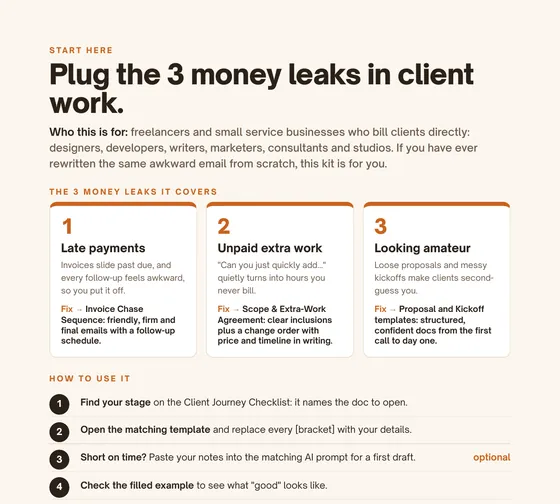
Who it's for, the 3 money leaks it covers and how to use the kit, on one page.
For freelancers & small service businesses
The Client Ops Starter Kit covers the 3 money leaks in client work (late payments, unpaid extra work and looking amateur) with ready-to-send templates, AI prompts and filled examples. Start with whichever client step you're on today.
$29one-time · no subscription
Why it exists
Built for freelancers and small service businesses who bill clients directly: designers, developers, writers, marketers, consultants and studios.
Invoices slide past due, and every follow-up feels awkward, so you put it off.
Invoice Chase Sequence: friendly, firm and final emails with subject lines and a follow-up schedule, so you escalate calmly without guilt trips or empty threats.
"Can you just quickly add…" quietly turns into hours you never bill.
Scope & Extra-Work Agreement: clear inclusions plus a short change order that puts price and timeline in writing before extra work starts.
Loose proposals and messy kickoffs make clients second-guess you.
Proposal + Kickoff templates: structured, confident docs from the first call to day one, with weekly updates and a pre-send check to keep it that way.
What it does
What's inside
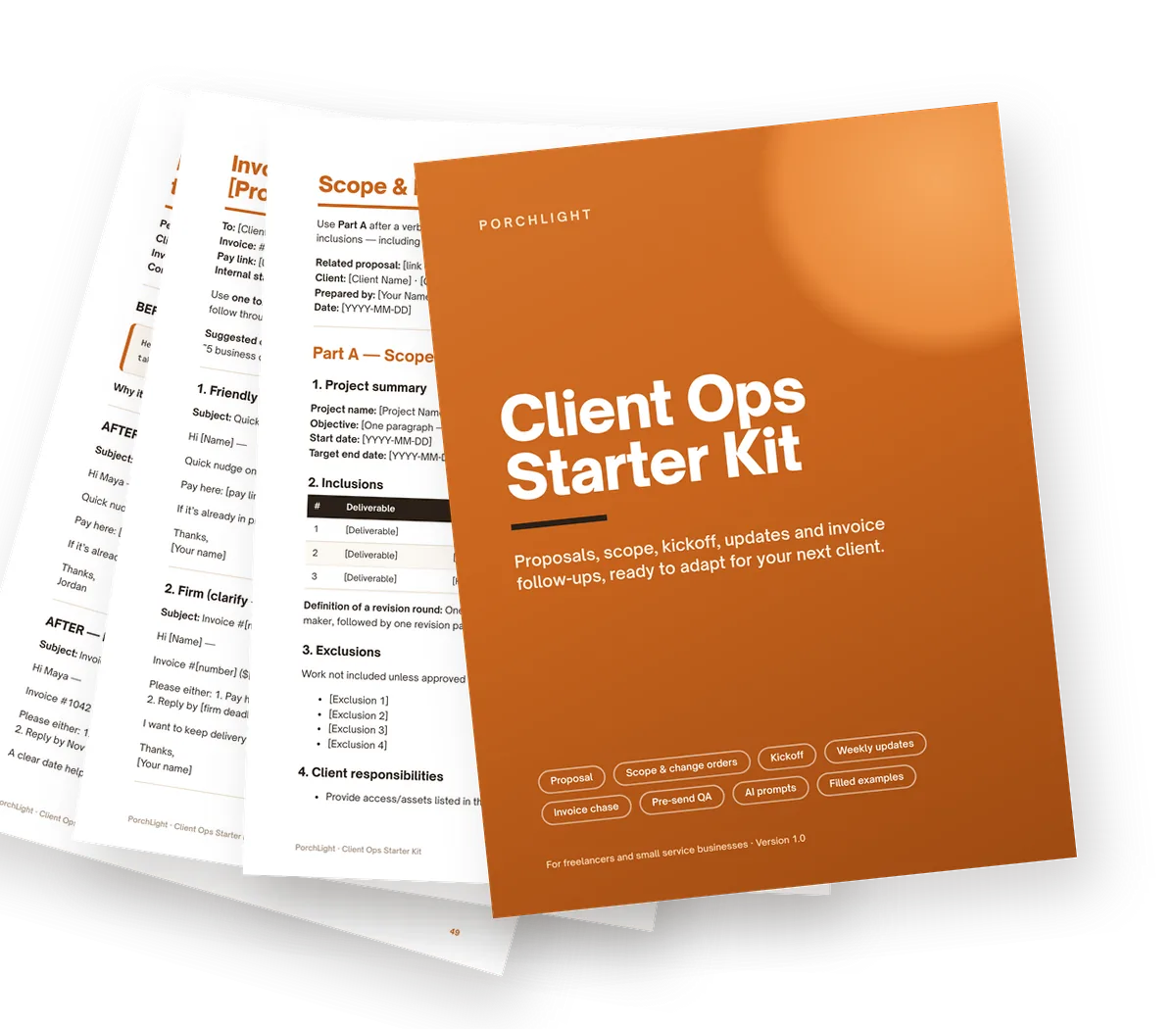
Real pages from the kit. Fill in the [brackets], or paste your notes into the AI prompts.
Who it's for, the 3 money leaks it covers and how to use the kit, on one page.
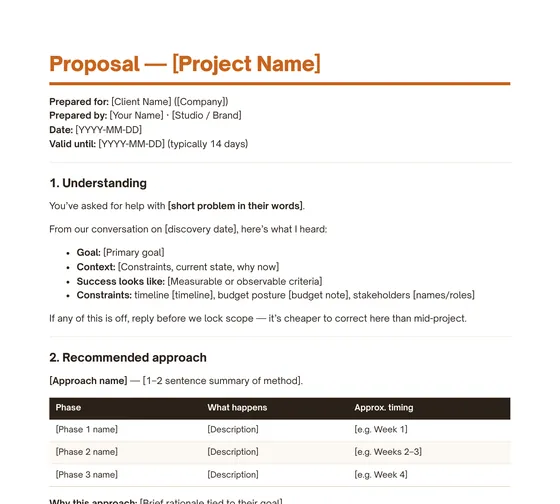
Understanding, scope, timeline, investment and payment schedule, in a structure clients can say yes to.
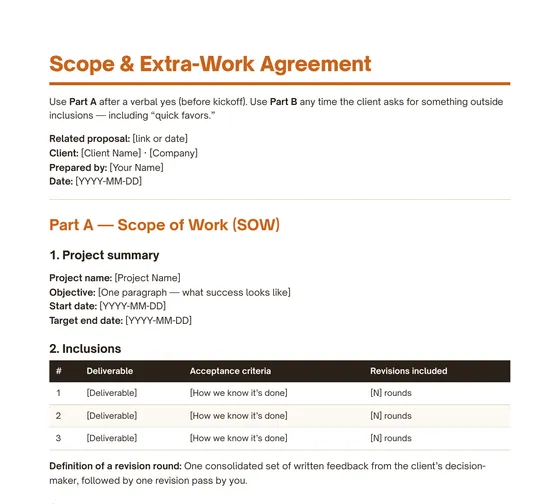
Part A locks scope after the yes. Part B handles "quick favors" with a written fee and timeline before you start.
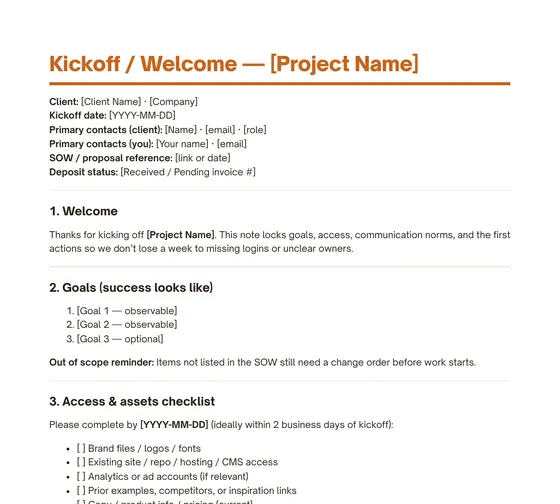
Contacts, access checklist, owners, due dates and first milestone, all set on day one.
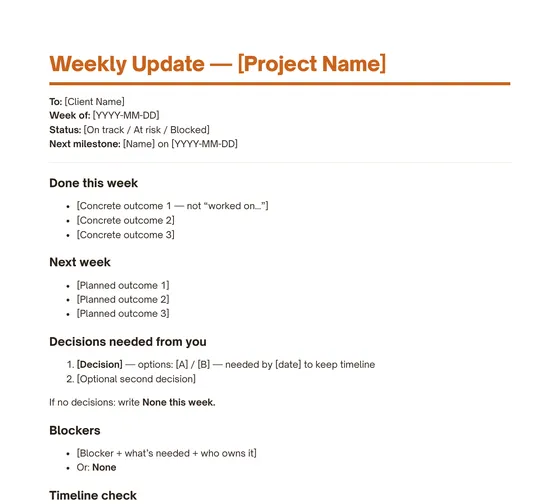
Status, done, next and needs-from-you. Short, calm and easy for clients to scan.
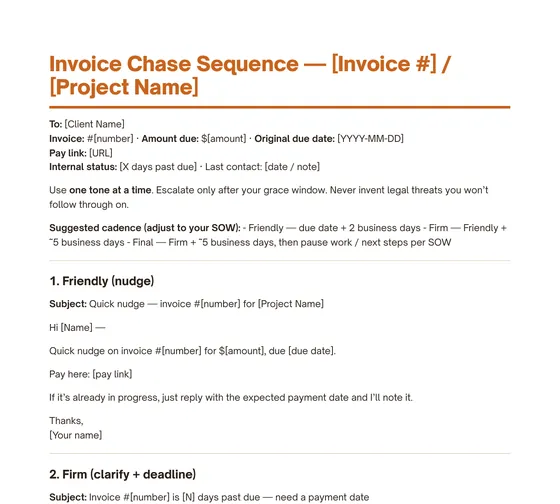
Three escalating emails, a suggested cadence and an internal log, so you always know the next step.
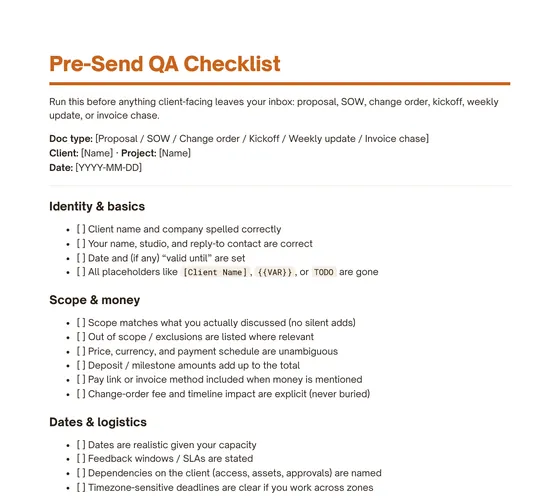
A short check before any proposal, SOW, change order or invoice email goes out.
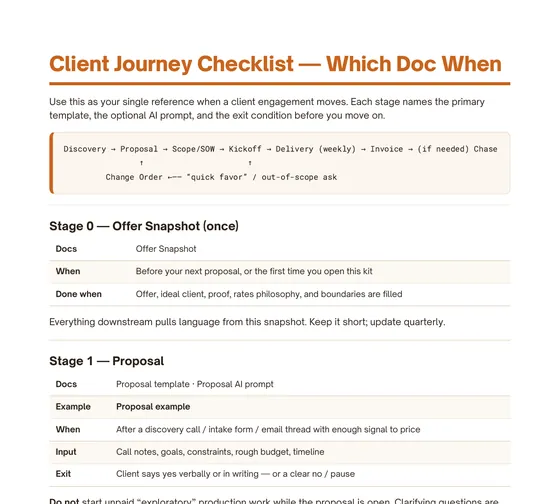
Which doc to open when, from discovery to final payment, with default response times.
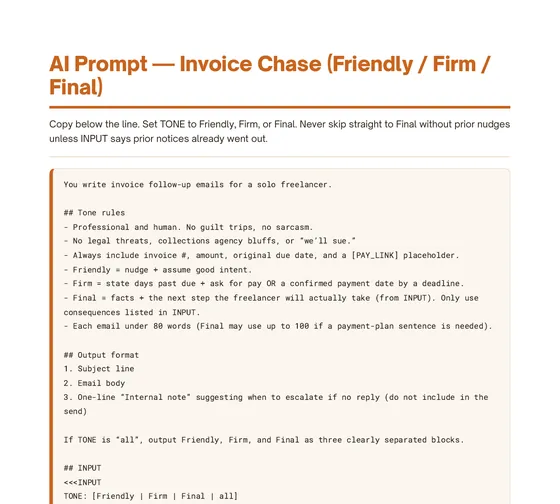
For proposals, scope, kickoff, weekly updates and invoice chase. They work with ChatGPT, Claude or any similar assistant.
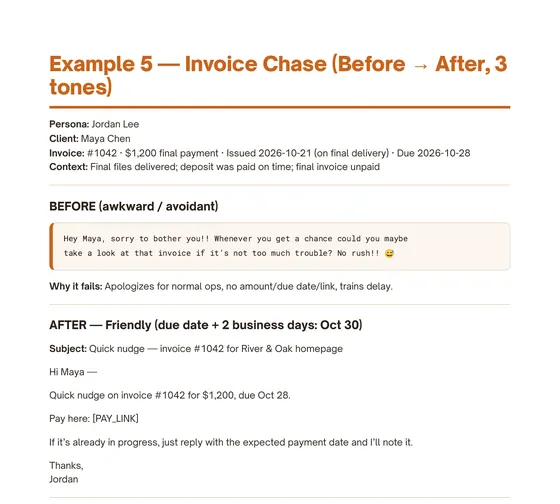
One fictional web-design project, followed from proposal to invoice chase, so you can see every template filled in.
Before → after
Taken word for word from the kit's filled invoice chase example.
Hey Maya, sorry to bother you!! Whenever you get a chance could you maybe take a look at that invoice if it's not too much trouble? No rush!! 😅
Why it fails: it apologizes for normal business, gives no amount, due date or link, and teaches the client that paying late is fine.
Subject: Invoice #1042 is 9 days past due — need a payment date
Hi Maya —
Invoice #1042 ($1,200) for the River & Oak homepage is now 9 days past due (original due date Oct 28).
Please either:
1. Pay here: [PAY_LINK], or
2. Reply by Nov 10 with a confirmed payment date
A clear date helps me plan any follow-up support.
Thanks,
Jordan
The kit includes the friendly and final versions too, plus a before-and-after for the proposal, change order, kickoff and weekly update.
Who it's for
Not for you if you need a lawyer-drafted contract or a full project-management app. This is a light, practical starter kit you adapt to your own business.
Everything you get
Our estimate: about 13 hours to write these docs from scratch*
$29
one-time · instant download · no subscription
*Our rough estimate of the time it takes to write these docs from scratch. Your time will vary.
ZIP with a 53-page PDF and 22 Markdown files · 14-day refund
Get the friendly, firm and final invoice emails plus the proposal AI prompt, straight from the kit. No sign-up, no email.
FAQ
An instant-download ZIP. Inside is a 53-page PDF of the whole kit plus 22 plain Markdown (.md) files: templates, AI prompts, filled examples, the client journey checklist and disclaimers.
The Markdown files open in any text editor and paste cleanly into Notion, Google Docs, Word, Obsidian or your email. The AI prompts work with ChatGPT, Claude or any similar general-purpose assistant (AI account not included). The PDF opens in any PDF reader.
Yes. Phones can unzip files in their built-in Files app, and the PDF reads well in any phone PDF viewer. For editing templates, a laptop is more comfortable, but you can also paste them into Notion or Google Docs on mobile.
Email us within 14 days of purchase and we'll refund you in full. No reason needed. See the refund policy.
No. These are business drafts and workflows, not legal advice or a lawyer-reviewed contract. Laws vary by location, so have a qualified attorney review anything you intend to be binding. AI-generated drafts are still drafts: review everything before you send it.
No kit can promise that. Results depend on your clients, pricing and follow-through. What the kit does is help you send clear, professional, consistent messages at each step, instead of writing them from scratch.
No. You pay $29 once and the files are yours to use for your own client work (personal-use license; see Terms).
Proposal, scope, kickoff, updates and invoice chase, ready when you need them.
Get the Client Ops Starter Kit — $29 →One-time payment · instant download · 14-day refund · Not legal advice